Best AI Tools for Beginners: Hidden Gems Beyond ChatGPT

March 20, 2026 · 6 min read
··
- Otter.ai is the clear winner for beginners—it delivers professional-grade voice transcription with zero technical setup
- Skip the obvious choices and focus on specialized AI tools that solve real problems
The best AI tools for beginners aren't the chatbots everyone talks about. Otter.ai dominates for simple transcription needs, while Fireflies excels for team collaboration with searchable transcripts and AI summaries. Remove.bg makes background removal effortless with just upload-and-done simplicity. These specialized tools require no learning curve and deliver immediate results.
Key Takeaways
- Otter.ai achieves 93-95% transcription accuracy in good conditions, outperforming competitors
- Fireflies offers unlimited transcription on their free plan, making it ideal for teams
- Remove.bg saves an average of 6 minutes per image compared to manual background removal
- Notion AI reached over 100 million users by 2024, with 4 million paying customers
- AI adoption has nearly doubled in the last six months, with 75% of knowledge workers now using AI tools regularly
Watch Out For
- ⚠Voice transcription tools require good audio quality and clear speech for best results
- ⚠Free plans often have usage limits—read the fine print before committing to workflows
- ⚠AI-generated backgrounds and edits may look artificial for professional use
- ⚠Meeting bots are visible to other participants, which can feel intrusive in sensitive conversations
AI Tool Usage at a Glance
75%▲
Knowledge workers using AI regularly
6 min
Time saved per image with Remove.bg
100M+▲
Notion users by 2024
Microsoft Work Trend Index, comparison studies 2024-2026
Why Skip the Obvious AI Tools
Everyone knows about ChatGPT and Claude. AI adoption has nearly doubled in the last six months alone, with 75% of knowledge workers now using AI tools regularly. But here's the problem: general-purpose chatbots are like Swiss Army knives—they do everything adequately but nothing exceptionally.
ChatGPT is a great general-purpose chatbot, but like most jacks-of-all-trades, it loses out to more specific tools for certain jobs. For an AI tool to make this list, it had to do something better than ChatGPT. The real AI revolution for beginners is happening in specialized tools that solve specific problems without requiring prompt engineering skills or technical knowledge.
These tools integrate seamlessly into existing workflows and deliver immediate value. The people who benefit are not the ones trying everything—they are the ones who find one or two tools that remove a specific friction and then use them consistently.
This isn't about replacing human creativity. It's about removing the tedious tasks that drain your time and energy. A therapist friend uses only one AI tool: Otter.ai for transcriptions. It saves time, reduces stress, and improves her patient sessions. That is the whole point.
The real AI revolution for beginners is happening in specialized tools that solve specific problems without requiring prompt engineering skills or technical knowledge.
Best for Voice Transcription
Free (300 min/month), Pro $8.33/month

Mobile app supports in-person meetings
93-95% in good conditions
English, French, Spanish
Yes, live transcription
Zoom, Google Meet, Teams
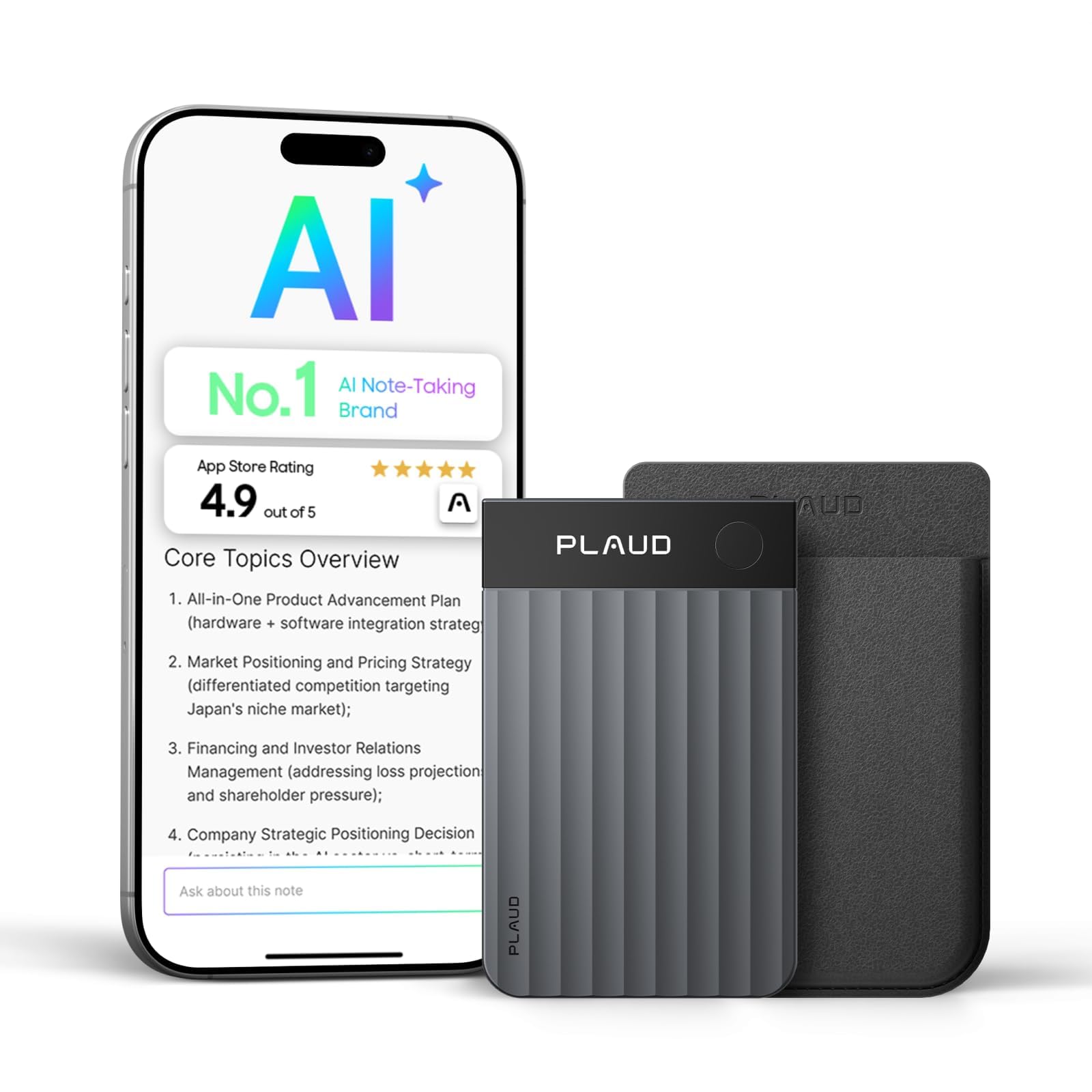
Otter.ai edges out competitors with 93-95% accuracy in good conditions. It delivers real-time, accurate AI transcription during meetings so you can follow along live, and it's one of the few tools that supports in-person meetings through its mobile app—perfect for hybrid teams. The interface is clean and the mobile app is genuinely good. The live transcript view is one of the best-designed UIs in any productivity tool. For freelancers, solo founders, or individual contributors who need personal meeting notes, Otter is excellent.
Best for Team Collaboration
Free (unlimited transcription), Pro $10/month
90-93% transcription accuracy
Unlimited transcription, 800 min storage
100+ languages supported
50+ apps including Salesforce, HubSpot
Shared workspaces, cross-meeting search
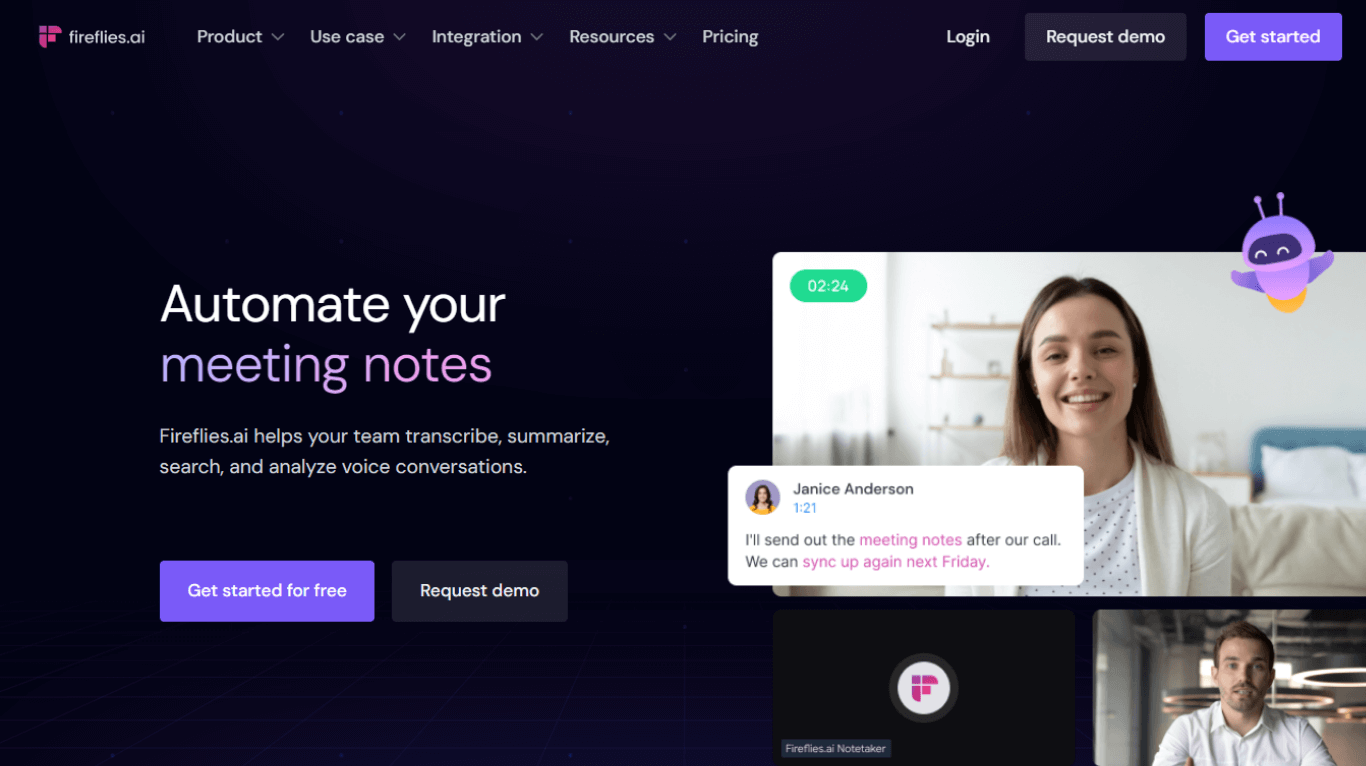
Fireflies offers unlimited transcription on their free plan, allowing users to transcribe as many meetings as needed without additional costs, making it a strong option for businesses and teams. Every meeting recorded by anyone on the team was instantly searchable by everyone. When our product manager wanted to know what customers had said about a feature in the last month, she searched across every customer call our sales team had recorded. Took about 30 seconds. Before Fireflies, that request would have involved Slacking three sales reps asking them to share individual transcripts. The team intelligence features are genuinely useful, not just marketing fluff.

Best for Instant Background Removal
Free (50 images/month), Pro $9.99/month
Handles complex hair and edges well
For developers and businesses
Photoshop, Figma, Shopify
Under 5 seconds
Available on paid plans
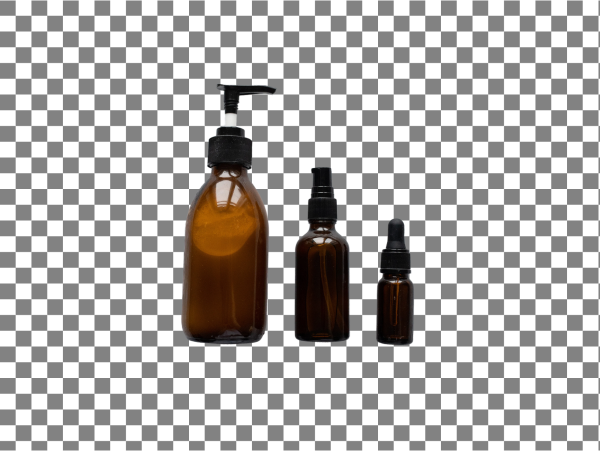
Remove.bg keeps it simple—just upload your image, and boom—background gone. For e-commerce and marketing teams, this tool eliminates hours of manual masking work. We measured an average time saving of 6 minutes per image compared to manual methods. Advanced AI instantly detects subjects and removes backgrounds perfectly, even challenging elements like hair. The Magic Brush tool makes it easy to fine-tune for an even cleaner cut. No Photoshop skills required.
Best for All-in-One Design
Free (limited), Pro $12.99/month
Social media, presentations, print
Upload logos, fonts, colors
Thousands of professionally designed
Magic Design, Background Remover, Magic Edit
Team sharing and editing
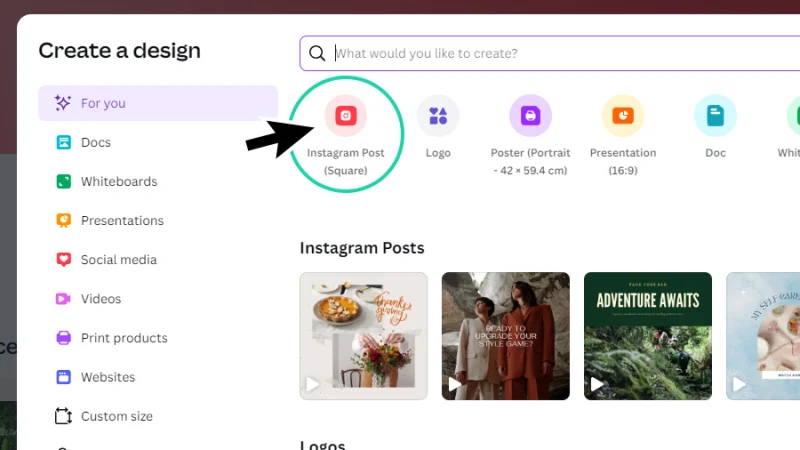
Canva's Magic Studio suite makes it easy to generate images and copy using text prompts with drag-and-drop functionality that anyone can figure out, even with zero design experience. Magic Design is an AI design generator powered by leading generative AI technology. Use it to create custom, on-brand, and attention-grabbing designs in seconds. Canva Magic Design is the easiest starting point for beginners who need professional-looking graphics without design skills. The AI suggests layouts, generates images, and even writes copy.
Best for Video Editing
Free (limited), Creator $12/month

Multiple formats and quality options
Remove filler words, overdub, screen recording
Create AI voice clones
Team editing and sharing
Edit video by editing text
Descript transcribes your videos into a script. Then, instead of using a timeline to trim the audio and video tracks, you edit the text script. As you do so, the video gets trimmed automatically. The rest of the editing works in a similar way, cutting the time to edit your talking head videos. You edit video by editing text. You remove 'ums' and long pauses with one click. You can even change what you said by typing new words. She went from posting once a month to once a week. Her channel grew from 800 to 14,000 subscribers in seven months. Not because AI made her better—but because AI removed the friction.
Best for Writing and Organization
AI add-on $8/month per user
Accesses your entire workspace
Writing, summarizing, Q&A, database autofill
Multiple language support
Built into Notion workspace
Team-wide AI access
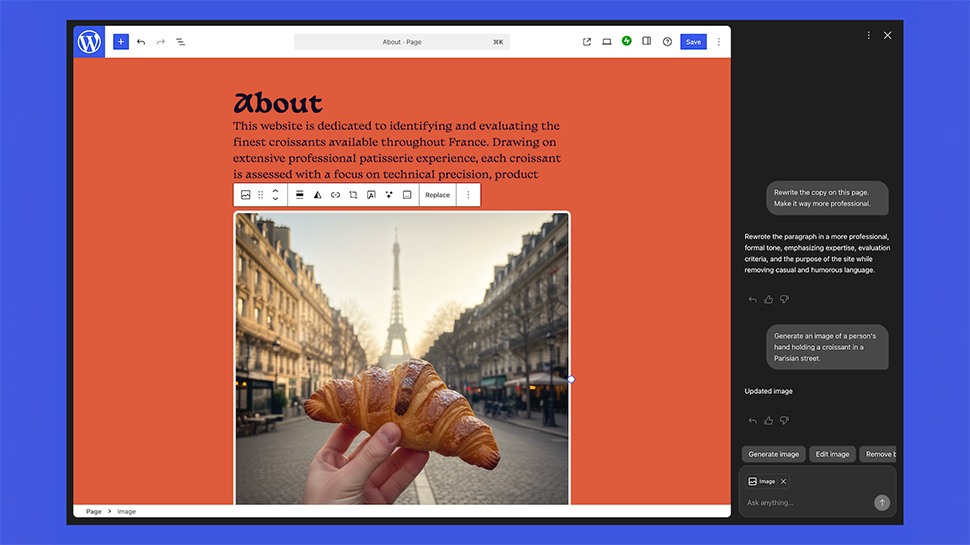
Notion is great for organizing your knowledge, but sometimes important pages get overlooked. With Notion AI Q&A, that changes. It digs into your data, providing answers and directing you to the sources, uncovering valuable insights you might have missed, even from meetings years ago. Notion reached over 100 million users by September 2024, with 4 million paying customers. The AI features feel native to the platform rather than bolted on. Notion AI adds intelligent writing assistance to Notion's powerful workspace. It can summarize documents, generate content, translate text, and answer questions about your workspace. Best suited for teams already using Notion who want AI-powered document management.
Best for Video Summaries
Business plan $8/month per user
View tracking and engagement
Automatic topic breakdown
AI-generated video titles
Works with existing Loom videos
Built-in video transcription
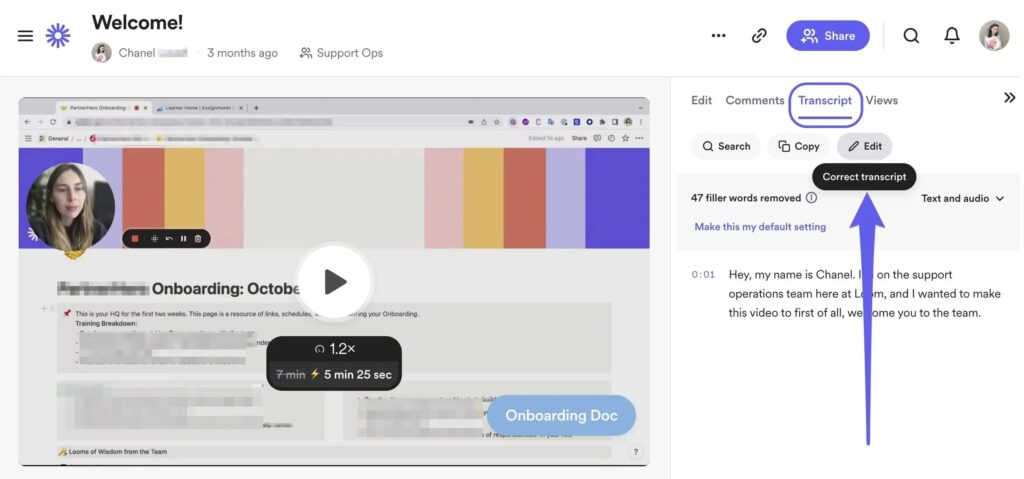
Loom was already a time-saving option to record your screen, helping you present a new project or share a quick update. Its AI features add even more: based on your presentation, it will automatically give a name, label the sections, and offer a topic breakdown so your team knows what to expect with a glance. Loom has always been good at making demo videos or sales presentations, and it comes with analytics that tell you who has watched your video, and how much they engaged with it. With their recent Loom AI capability, video titles and summaries are auto-generated. In my experience, they're quite good.
Ease of Use vs. Power Comparison
How beginner-friendly tools compare on learning curve vs. capability
Based on user onboarding time and feature complexity analysis
Feature Comparison by Category
How top AI tools perform across key beginner criteria
| Metric | Otter.ai | Fireflies.ai | Remove.bg | Canva Magic Design | Descript | Notion AI | Loom AI |
|---|---|---|---|---|---|---|---|
| Ease of Use | 9/10 | 8/10 | 10/10 | 8/10 | 6/10 | 7/10 | 8/10 |
| Free Plan Value | 7/10 | 10/10 | 8/10 | 6/10 | 5/10 | 4/10 | 5/10 |
| Setup Speed | 9/10 | 7/10 | 10/10 | 8/10 | 6/10 | 6/10 | 8/10 |
| Result Quality | 9/10 | 8/10 | 9/10 | 7/10 | 8/10 | 8/10 | 8/10 |
| Team Features | 5/10 | 10/10 | 4/10 | 8/10 | 7/10 | 9/10 | 9/10 |
Budget-Friendly AI Tool Options
Free
Fireflies (unlimited transcription), Remove.bg (50 images), Otter.ai (300 minutes), Canva (limited templates), Descript (limited)
$8-12/month
Otter Pro, Notion AI, Descript Creator, Canva Pro. Sweet spot for individual professionals.
$15-25/month
Team plans for most tools. Fireflies Pro, Canva Teams, Loom Business. Designed for small teams.


Common Beginner Mistakes to Avoid
What real people think
Mostly positiveSourced from Reddit, Twitter/X, and community forums
Voice transcription and background removal tools provide the most immediate value for beginners, with Otter.ai and Remove.bg consistently mentioned as 'just works' solutions.
Otter.ai praised for reliability and clean interface. Many prefer it over built-in Zoom transcription for accuracy.
Remove.bg saves hours of Photoshop work. 'Game-changer for product photos' mentioned repeatedly.
Descript called 'revolutionary' for video editing. Cuts editing time in half for talking head content.
Fireflies.ai team search features are 'genuinely useful' vs. individual Otter accounts. Better for collaboration.
Canva AI features criticized as 'cookie-cutter' but praised for speed. Good for social media, not brand work.
Which Tool Fits Your Situation
Solo freelancer/consultant
Otter.ai + Remove.bg. Individual transcription for client calls and clean photos for marketing materials.
Small team (3-10 people)
Fireflies.ai + Canva Pro. Unlimited team transcription with searchable history, plus professional design capabilities.
Content creator
Descript + Loom AI. Revolutionary video editing plus automatic summaries for better discoverability.
Knowledge worker in large company
Notion AI + Otter.ai. AI writing assistance integrated into your workspace plus reliable personal transcription.
E-commerce/product business
Remove.bg + Canva Magic Design. Perfect product photos and marketing materials without hiring designers.
Complete AI beginner
Start with Remove.bg only. One tool, immediate results, builds confidence to try other AI solutions.
Sources
Rate this article
Your feedback helps surface the best content
Related articles
Have a question? Get your own article.
Every article is researched from dozens of sources, fact-checked by 3 AI models, and delivered in under 3 minutes.