

- ChatGPT 5 is the essential foundation tool everyone should learn first
- Claude 4 dominates creative writing and coding tasks
- Cursor IDE is revolutionizing programming with AI-native development
- Skip the tool-hopping — master 2-3 tools deeply rather than dabbling
The AI landscape has consolidated around a few dominant platforms. ChatGPT 5 ($20-200/month) remains the versatile foundation tool, while Claude 4 ($20/month) excels at writing and coding. For developers, Cursor IDE is the breakout hit, and Perplexity ($20/month) has become the search replacement.
Key Takeaways
- 2026 is the year AI tools became essential professional skills, not optional extras
- The 'AI stack' approach is dead — most pros now use 2-3 tools instead of 10+
- Pricing has stabilized around $20/month for most premium tools
- Learning curve is steeper but payoff is dramatically higher than 2025
Watch Out For
- ⚠Tool fragmentation forcing expensive multi-subscription strategies
- ⚠Rapidly changing interfaces that make tutorials obsolete within months
- ⚠Feature overlap between tools creating confusion about which to use when
What You Need to Know: AI Tool Categories in 2026
The AI tool landscape has fundamentally shifted in 2026. Gone are the days of experimenting with dozens of niche tools. The market has consolidated around a few category-defining platforms that deliver professional-grade results. The biggest change? AI tools are no longer about automation — they're about amplification.
The tools worth learning don't replace your thinking; they make your thinking faster, deeper, and more creative. This means the learning curve is steeper but the payoff is exponentially higher. Here's what separates winners from also-rans in 2026: reasoning capability, context retention, and seamless integration with existing workflows.
The tools on this list excel in all three areas. Everything else is distraction.
What real people think
Mostly positiveSourced from Reddit, Twitter/X, and community forums
Reddit overwhelmingly recommends focusing on 2-3 core tools rather than spreading thin across many platforms. ChatGPT 5 and Claude 4 appear in nearly every 'essential tools' thread.
120+ developers discussing 2026 tool priorities. Consensus: AI engineering tools like LangGraph, CrewAI, and AutoGen are exploding, but ChatGPT and Claude remain the foundation layer everyone builds on
Users report needing ChatGPT for reasoning ($20), Claude for writing ($20), Gemini for multimodal tasks ($20), and Perplexity for search ($20) — the fragmented AI landscape is expensive
Strong preference for tools that integrate well together. Cursor IDE + Claude 4 combination getting major praise for coding workflows
Tool Adoption by Skill Level
Based on 2026 developer surveys and Reddit discussions
Reddit surveys and developer forums, 2026
Best General-Purpose AI: ChatGPT 5 vs Claude 4
This is where everyone starts, and for good reason. Both ChatGPT 5 and Claude 4 handle the full spectrum of knowledge work — writing, analysis, problem-solving, and creative tasks. But they have distinct personalities and strengths. ChatGPT 5 feels like talking to a brilliant research assistant who never gets tired.
Its reasoning chains are transparent, making it excellent for learning and verification. Claude 4 is more like collaborating with a thoughtful colleague — nuanced, contextual, and surprisingly good at understanding subtext. The pricing reality: most power users end up paying for both.
ChatGPT 5's $20 base plan is essential, while Claude 4's $20 Pro plan excels at different tasks. It's expensive but unavoidable if you're serious about AI-augmented work.

The Foundation Tool
$20-200/month

Available all tiers
Text, image, voice, code
128K tokens
Moderate
GPT-5, GPT-5.2 Think
2-4 seconds
1000+ integrations
Advanced chain-of-thought
ChatGPT 5 is the Swiss Army knife of AI tools — good enough at everything to be your daily driver. The 2026 updates brought significant improvements in reasoning and context retention, making it genuinely useful for complex projects that span multiple conversations. The $200 Pro plan with GPT-5.2 Think is overkill for most users, but the base $20 plan delivers professional-grade capabilities. What sets ChatGPT apart is its transparency. You can see how it thinks through problems, making it an excellent learning partner. The plugin ecosystem is mature enough to handle most workflow integrations, and the API access means you can build custom solutions. For coding, it's solid but not spectacular — good enough for scripting and debugging but outclassed by specialized tools. The biggest limitation? It can feel generic compared to more specialized tools. Claude writes better prose, Cursor codes better, Midjourney creates better art. But ChatGPT does all of these tasks competently, making it the foundation tool everyone should learn first. If you can only afford one AI subscription in 2026, this is it.
The Creative Powerhouse
$20/month

Pro tier and above
200K tokens
Easy
Claude 4, Claude 4 Opus
3-5 seconds
Excellent for complex logic
Constitutional AI
Superior prose style
Claude 4 is where you go when ChatGPT feels too robotic. It understands nuance, subtext, and creative intent in ways that consistently surprise users. For any task involving writing — from emails to essays to creative fiction — Claude produces more natural, engaging results. The 200K context window means it can work with entire documents without losing coherence. For coding, Claude has quietly become exceptional. It doesn't just write code; it understands the architectural implications of what you're building. It asks clarifying questions, suggests better approaches, and explains trade-offs. Many developers report that Claude-generated code needs less debugging than other AI tools. The combination with Cursor IDE is particularly powerful. The trade-off is speed and cost efficiency. Claude is more expensive per token than ChatGPT and slightly slower. It's also more opinionated — sometimes refusing tasks that ChatGPT handles without question. But for high-stakes work where quality matters more than speed, Claude consistently delivers superior results. The $20 monthly cost is justified by the time savings on revision and editing.
ChatGPT 5 vs Claude 4 by Category
Head-to-head comparison across key use cases
| Metric | ChatGPT 5 | Claude 4 |
|---|---|---|
| General Knowledge | 9/10 | 8/10 |
| Creative Writing | 7/10 | 9/10 |
| Code Generation | 8/10 | 9/10 |
| Reasoning/Logic | 9/10 | 8/10 |
| Speed | 9/10 | 7/10 |
| API Quality | 9/10 | 8/10 |
| Cost Efficiency | 8/10 | 6/10 |
Best for Coding: GitHub Copilot X vs Cursor IDE
The coding AI space has been completely transformed in 2026. While GitHub Copilot pioneered AI-assisted programming, Cursor IDE has emerged as the tool that developers actually want to use daily. The difference comes down to integration philosophy. Copilot X bolts AI onto existing development environments.
It's powerful but feels like an add-on. Cursor IDE was built from the ground up as an AI-native editor. Every feature assumes you're working with an AI partner, creating a fundamentally different development experience. The Reddit consensus is clear: experienced developers stick with their familiar editors + Copilot, while developers starting new projects or willing to change workflows overwhelmingly prefer Cursor.
Both are worth learning, but Cursor represents the future of AI-assisted development.
The difference comes down to integration philosophy.
The Established Choice
Varies by plan
Test generation
VS Code, Vim, JetBrains
Auto-generated docs
Integrated Q&A
Low for existing users
Real-time suggestions
50+ languages
Admin controls
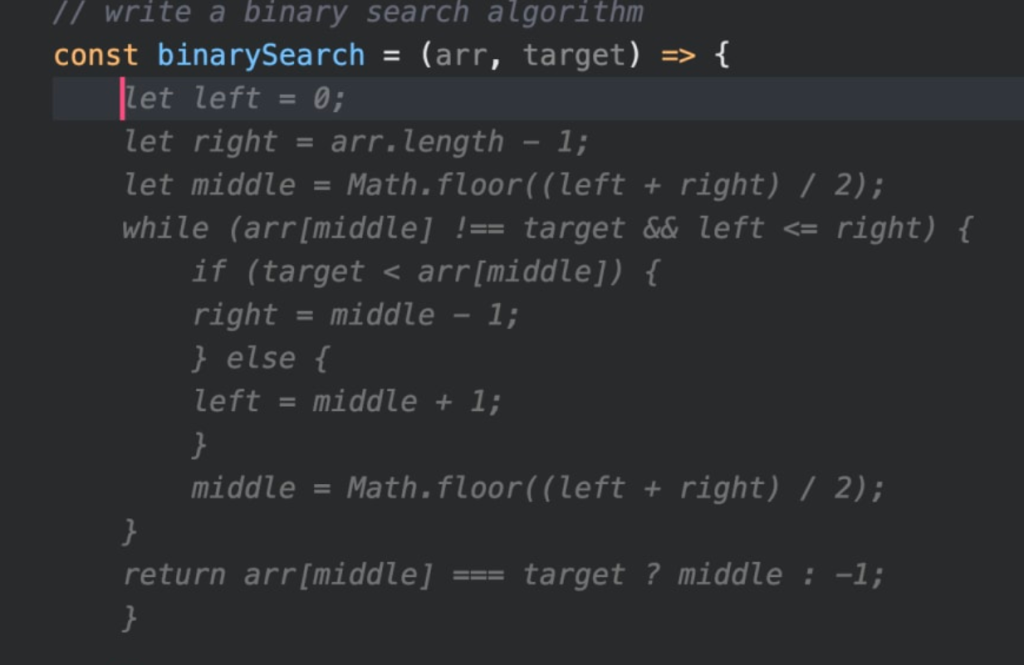
Copilot X is the safe choice for teams already invested in the GitHub ecosystem. It integrates seamlessly with existing workflows and has the backing of Microsoft's enterprise infrastructure. The autocomplete suggestions are excellent, and the chat interface handles most coding questions competently. For large organizations with established development processes, it's often the only viable option. The strength of Copilot X is its maturity and reliability. It rarely breaks your workflow or suggests fundamentally wrong approaches. The weakness is that it feels incremental — like a very good autocomplete rather than a transformative development experience. You're still thinking in the old paradigm of writing code line by line, just with better suggestions. Pricing varies significantly based on your GitHub plan and usage, which can make budgeting difficult. Enterprise features are robust, but smaller teams often find better value elsewhere. If you're already happy with your development environment and want to add AI assistance without changing workflows, Copilot X delivers reliable results.
The AI-Native Revolution
Varies by plan

Intelligent error analysis
Optimized for AI workflows
AI-powered restructuring
Native throughout
Advanced with codebase understanding
Moderate to high
Multi-file context aware
All major languages
Cursor IDE represents a fundamental rethinking of what programming looks like with AI. Instead of autocompleting individual lines, you describe what you want to build and Cursor generates entire functions, classes, or even files. The AI understands your entire codebase context, making suggestions that consider architecture, existing patterns, and dependencies. The development experience is genuinely different. You spend more time thinking about what you want to accomplish and less time typing boilerplate. The AI can refactor complex codebases, explain unfamiliar code, and even debug issues by analyzing error patterns. For new projects or developers willing to adapt their workflow, it's transformative. The learning curve is steep because you need to unlearn traditional development habits. The AI works best when you communicate intent clearly rather than micromanaging implementation details. Some developers find this frustrating initially, but those who adapt report significantly faster development cycles. The tool is still evolving rapidly, which means occasional bugs but also frequent capability improvements.
Coding Tools Benchmark
Performance across key development tasks
| Metric | GitHub Copilot X | Cursor IDE |
|---|---|---|
| Autocomplete Quality | 9/10 | 8/10 |
| Multi-file Context | 6/10 | 9/10 |
| Refactoring | 5/10 | 9/10 |
| Learning Curve | 9/10 | 5/10 |
| Enterprise Features | 9/10 | 6/10 |
| Innovation | 6/10 | 9/10 |
Best for Creative Work: Midjourney
Despite increased competition, Midjourney remains the gold standard for AI-generated imagery in 2026. While tools like DALL-E 3 and Stable Diffusion have improved significantly, Midjourney's combination of artistic quality, prompt understanding, and consistent results keeps it ahead.
The Discord-based interface remains polarizing — some users love the community aspect and collaborative features, while others find it clunky compared to traditional software. But the results speak for themselves. Midjourney consistently produces images that look intentional rather than obviously AI-generated.
For anyone serious about visual content creation — whether for marketing, social media, or artistic projects — Midjourney is worth the learning investment. The prompt crafting skills transfer to other image generation tools, making it a valuable foundation skill.
The Image Generation King
$8-96/month
1-2 minutes per image
Discord-based
Up to 2048x2048
Best-in-class artistic output
Moderate
Strong across generations
Built-in sharing and remix
Excellent natural language
Midjourney has maintained its position as the premier AI art generator through consistent quality improvements and deep prompt understanding. The images it produces have an artistic intentionality that other tools struggle to match. Whether you're creating marketing visuals, concept art, or social media content, Midjourney delivers results that rarely scream 'AI-generated.' The Discord interface is both a strength and weakness. The community aspect helps with prompt learning and inspiration, but it's also chaotic and non-intuitive for users expecting traditional software. The collaborative features are genuinely useful once you understand them, allowing you to build on others' prompts and techniques. Pricing has remained stable compared to other AI tools, making it accessible for individual creators. The different subscription tiers provide good flexibility, though serious users quickly outgrow the basic plans. The main limitation is speed — generating variations and iterations takes time, which can slow creative workflows. But for final-quality imagery, the wait is usually justified.
Best for Research: Perplexity
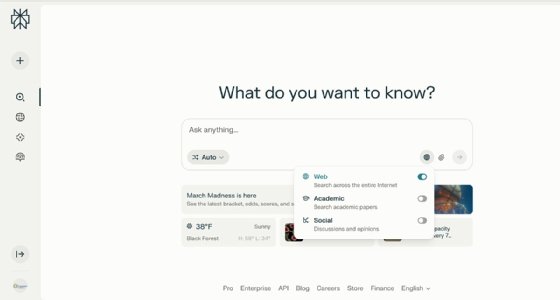
Perplexity has quietly become the search replacement that Google never wanted to see. Unlike ChatGPT or Claude, which rely on training data, Perplexity searches the web in real-time and synthesizes current information with citations. For research, fact-checking, and staying current, it's become indispensable.
The 2026 version introduced 'Spaces' for collaborative research and improved source filtering. The Labs feature experiments with different AI models, letting you compare results across reasoning approaches. Reddit users consistently praise its accuracy for news, current events, and technical research.
At $20/month, it's positioned as a premium research tool rather than a general chatbot. The investment pays off for anyone who regularly needs current, accurate information with proper citations.
The Search Revolution
$20/month
Full-featured iOS/Android
Spaces for team research
Multiple AI backends
Easy
3-6 seconds
Proper source attribution
Live web crawling
Academic, news, general
Perplexity fills the gap between search engines and chatbots perfectly. Instead of wading through search results, you get synthesized answers with proper citations. The real-time web crawling means you're getting current information, not training data from years ago. For research, journalism, and staying informed, it's genuinely transformative. The Spaces feature for collaborative research is underrated. You can build persistent research workspaces, share findings with teams, and track the evolution of topics over time. The mobile app is excellent, making it practical for on-the-go fact-checking and quick research. The Labs feature lets you experiment with different reasoning approaches, which is valuable for complex queries. The main limitation is cost — $20/month feels steep for what many perceive as 'better search.' But the time savings on research tasks quickly justify the expense for professionals. The free tier is too limited for serious use, pushing most users toward the paid plan. Source quality varies, and like all AI tools, it can occasionally misinterpret or over-synthesize information.
2026 AI Tool Usage Statistics
$280B▲
Global AI Tools Market
68%▲
Knowledge Workers Use AI Daily
$47▲
Average Monthly AI Tool Spend
2.3▼
Average Tools Per Professional
Various industry reports and surveys, 2026
Price Tier Breakdown
$0-20/month
Individual plans for ChatGPT Plus ($20) or Claude Pro ($20). Good for personal productivity and learning.
$40-60/month
Power user setup: ChatGPT + Claude + Perplexity. Covers most knowledge work needs comprehensively.
$100-200/month
Professional setup with specialized tools. Includes coding tools (Cursor), creative tools (Midjourney), plus premium AI plans.
Who This Is For
Students & Beginners
Start with ChatGPT Plus ($20/month). Learn prompting fundamentals before adding other tools. Avoid the temptation to try everything at once.
Knowledge Workers
ChatGPT + Claude combo ($40/month). Add Perplexity ($20) if you do regular research. This covers 90% of professional use cases.
Developers
Choose between GitHub Copilot X (established workflows) or Cursor IDE (willing to adapt). Add Claude for architecture discussions and code reviews.
Creative Professionals
Claude for writing, Midjourney for visuals. The combination handles most creative workflows better than any single tool.
Enterprise Teams
GitHub Copilot X for development, ChatGPT Enterprise for general use. Focus on tools with robust admin controls and compliance features.
Common Pitfalls When Learning AI Tools
AI Tool ROI Calculator
Calculate if premium AI tools pay for themselves through productivity gains
$66
Total Tool Costs
$135
Total Time Value Saved
$69
Net Benefit
Productivity research and user surveys, 2026
Further Reading
Active community for learning prompting techniques and sharing use cases
Official guide to mastering AI-native development workflows
Complete guide to prompt engineering and advanced features
Understanding the technology behind Claude's reasoning capabilities
Rate this article
Your feedback helps surface the best content
Related articles
Have a question? Get your own article.
Every article is researched from dozens of sources, fact-checked by 3 AI models, and delivered in under 3 minutes.