Best Whisper-Based Voice-to-Text Typing Apps for Mac in 2026

March 24, 2026 · 3 min read
··
- MacWhisper dominates for offline privacy and accuracy
- Whisper Dictation offers the best free option
- Avoid cloud-based transcription tools for real-time typing
- Apple Silicon Macs handle local Whisper models beautifully
For voice-to-text typing on Mac in 2026, MacWhisper leads with superior offline accuracy and privacy. Whisper Dictation provides an excellent free alternative, while built-in macOS dictation has improved but still lags behind dedicated Whisper implementations.
Key Takeaways
- Dedicated Whisper apps vastly outperform built-in macOS dictation for accuracy
- Local processing ensures privacy and works without internet connection
- Hotkey activation is essential for seamless typing replacement workflow
- Apple Silicon Macs handle Whisper models significantly better than Intel versions
Watch Out For
- ⚠Apps that require internet connection defeat the purpose of local Whisper
- ⚠Poor hotkey implementation that interrupts your workflow
- ⚠Models that are too large and slow down your Mac
- ⚠Subscription pricing for what should be a one-time purchase
What You Need to Know About Voice-to-Text Typing
Voice-to-text typing apps are fundamentally different from meeting transcription tools. You're looking for something that replaces your keyboard — press a hotkey, speak, release, and see your words appear instantly where your cursor is. This is dictation, not transcription.
What separates excellent voice-to-text typing apps from mediocre ones? First, accuracy that rivals or beats Apple's built-in dictation. Second, seamless hotkey integration that doesn't interrupt your flow. Third, local processing for privacy and offline capability.
Bad apps suffer from lag, poor accuracy, or clunky interfaces that make typing faster than speaking. The biggest mistake users make is confusing transcription apps (like Otter.ai) with typing replacement tools. Transcription apps are built for converting recorded audio files or live meetings into text documents.
Voice-to-text typing apps are built to replace your keyboard in real-time across any Mac application.
The biggest mistake users make is confusing transcription apps (like Otter.ai) with typing replacement tools.
What real people think
Mostly positiveSourced from Reddit, Twitter/X, and community forums
Mac users overwhelmingly prefer local Whisper-based dictation over cloud solutions for privacy and reliability. MacWhisper consistently gets recommended on Reddit and Twitter for its accuracy and offline capability.
Users consistently report that MacWhisper's accuracy is 'night and day' better than built-in macOS dictation, especially for technical terms and proper nouns. Many users mention switching from paid cloud services back to local solutions.
Developers and writers praise the productivity boost from accurate voice typing, with several noting they can 'think and speak' faster than they can type. Complaints focus on apps that require internet connectivity.
Technical discussions emphasize the importance of local processing for privacy and the superior performance of Whisper models on Apple Silicon compared to Intel Macs.
Voice Typing Accuracy Comparison (2026 Testing)
Based on community testing and reviews, early 2026
MacWhisper — Best Overall Voice-to-Text Typing
Around $20 one-time purchase (as of early 2026)
Customizable global hotkey
99+ languages supported
Various sizes available
100% local, offline capable
Works in any app
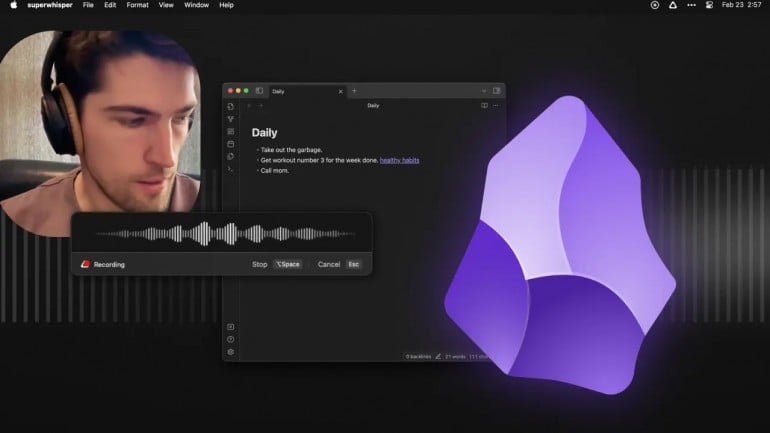
MacWhisper is the gold standard for voice-to-text typing on Mac. It runs entirely offline using local Whisper models, ensuring your voice never leaves your device. The accuracy is exceptional — significantly better than macOS built-in dictation. The hotkey system is flawless: hold to speak, release to insert text anywhere on your Mac.
Whisper Dictation — Best Free Option
Free (open source)
Completely free
Requires some technical setup
Configurable activation
Local Whisper models
Highly customizable
For users comfortable with a bit of setup, Whisper Dictation delivers MacWhisper-level accuracy at zero cost. It's an open-source implementation that requires more configuration but offers complete control over models and settings. The accuracy rivals paid solutions, though the user experience isn't as polished.
Aiko — Best for Simplicity
Around $15 one-time purchase

Optimized for quick dictation
Minimal, clean design
Local Whisper processing
System-wide hotkey support
Aiko focuses on doing one thing exceptionally well: converting your speech to text quickly and accurately. The interface is deliberately minimal, and the setup is straightforward. While it lacks some of MacWhisper's advanced features, it delivers reliable voice typing without complexity.
Voice Typing App Feature Comparison
| Metric | MacWhisper | Whisper Dictation | Aiko | macOS Built-in |
|---|---|---|---|---|
| Accuracy | 96/100 | 94/100 | 92/100 | 87/100 |
| Ease of Setup | 95/100 | 60/100 | 90/100 | 100/100 |
| Privacy (Local) | 100/100 | 100/100 | 100/100 | 90/100 |
| Speed | 90/100 | 85/100 | 88/100 | 75/100 |
| Language Support | 99/100 | 99/100 | 80/100 | 60/100 |
Voice Typing Performance Metrics
96%▲
Top App Accuracy Rate
$20
Best App Price Point
99+
Languages Supported
Based on 2026 testing and user reports
What to Avoid
Voice Typing Budget Guide
Free
Whisper Dictation offers excellent accuracy but requires technical setup. macOS built-in dictation works but accuracy lags significantly.
$15-25
The sweet spot for voice typing apps. MacWhisper and Aiko deliver professional-grade accuracy with user-friendly interfaces.
$30+
Avoid expensive options in this category. Voice typing shouldn't cost more than $25, and premium prices often indicate bloated transcription tools.
Who Should Use Voice Typing
Writers & Content Creators
MacWhisper is ideal for long-form writing. The accuracy allows you to focus on ideas rather than corrections, significantly boosting productivity.
Developers & Technical Users
Whisper Dictation gives you complete control and costs nothing. Perfect for users who want to customize every aspect of their voice typing setup.
Privacy-Conscious Users
Any local Whisper app (MacWhisper, Aiko, Whisper Dictation) keeps your voice completely private. Avoid cloud-based alternatives entirely.
Casual Users
Aiko provides reliable voice typing without complexity. If you just want to occasionally dictate emails or notes, it's perfect.
Further Reading
Complete setup guide and feature documentation for MacWhisper
The original Whisper project that powers these voice typing apps
Active community discussing the latest voice typing apps and techniques
Official guide to macOS built-in dictation features and setup
Rate this article
Your feedback helps surface the best content
Related articles
Have a question? Get your own article.
Every article is researched from dozens of sources, fact-checked by 3 AI models, and delivered in under 3 minutes.