Build Apps with AI: A Beginner's Guide to Lovable

March 26, 2026 · 7 min read
···
- Lovable is the undisputed champion for AI-driven app generation.
- ChatGPT is your essential co-pilot for idea generation and prompt refinement.
- Forget months of coding; build functional apps in hours.
- Start with a clear vision, iterate fast, and avoid common pitfalls.
Building web applications as a beginner is no longer a daunting task thanks to advanced AI tools like Lovable. By leveraging ChatGPT for ideation and prompt engineering, you can transform a simple concept into a live, production-ready app in a fraction of the time and cost of traditional development.
Key Takeaways
- AI app builders like Lovable translate natural language into functional code.
- ChatGPT is crucial for refining your app idea and generating precise prompts.
- Focus on clear, iterative steps to maximize AI builder efficiency.
- Even complex logic can be tackled with careful prompt engineering and refinement.
Watch Out For
- ⚠Over-reliance on AI for complex, custom UI/UX without human oversight.
- ⚠Skipping idea validation; build what people actually need.
- ⚠Underestimating the need for clear, detailed prompts.
- ⚠Ignoring the iteration phase—AI-generated code still needs refinement.
What You Need to Know: The AI App-Building Landscape
The app development landscape has been irrevocably altered by AI. Tools like Lovable are not just code generators; they are sophisticated AI engineers capable of translating plain English into professional React and TypeScript stacks. This means the barrier to entry for aspiring app creators has plummeted.
The key differentiator between a good AI app builder and a mediocre one lies in its ability to understand context, generate production-ready code, and offer a robust cloud backend. Lovable 2.0 excels here, providing an agentic mode that intelligently interprets your requests. Poor tools often produce brittle, unmaintainable code or require extensive manual cleanup.
Beginners often make the mistake of jumping straight into building without a clear plan. This leads to wasted credits and frustration. Another common pitfall is expecting the AI to read your mind; precise, detailed prompts are paramount. Finally, many beginners fail to iterate, accepting the first output rather than refining it through feedback loops.
The key differentiator between a good AI app builder and a mediocre one lies in its ability to understand context, generate production-ready code, and offer a robust cloud backend.
What real people think
Mostly positiveSourced from Reddit, Twitter/X, and community forums
The developer and non-developer communities are overwhelmingly positive about AI app builders, particularly for rapid prototyping and MVP creation. There's a strong consensus that these tools drastically reduce development time and cost, democratizing app creation. However, concerns persist regarding complexity handling and the 'black box' nature of some AI outputs.
“Lovable just cut my prototyping time by 90%. I built a functional dashboard in an afternoon that would've taken weeks.”
u/AppBuilderPro on Reddit
“It's not perfect—complex logic still needs careful guidance—but for getting a web app off the ground, Lovable is unmatched.”
Verified User on G2.com
Users frequently praise Lovable for its speed in generating functional web apps from simple descriptions, highlighting its utility for MVPs and testing new ideas quickly. Many mention the significant time savings compared to traditional development.
Discussions often revolve around the 'agentic mode' of tools like Lovable, noting its ability to handle more complex, multi-step requests. There's excitement about the potential for non-technical founders to launch products independently.
While generally positive, some reviews point out that Lovable's performance can lag with very large codebases on lower-spec machines, and that complex logic still requires careful prompt engineering. The premium pricing is also a recurring point of discussion.
Step 1: Brainstorm Your Idea with ChatGPT
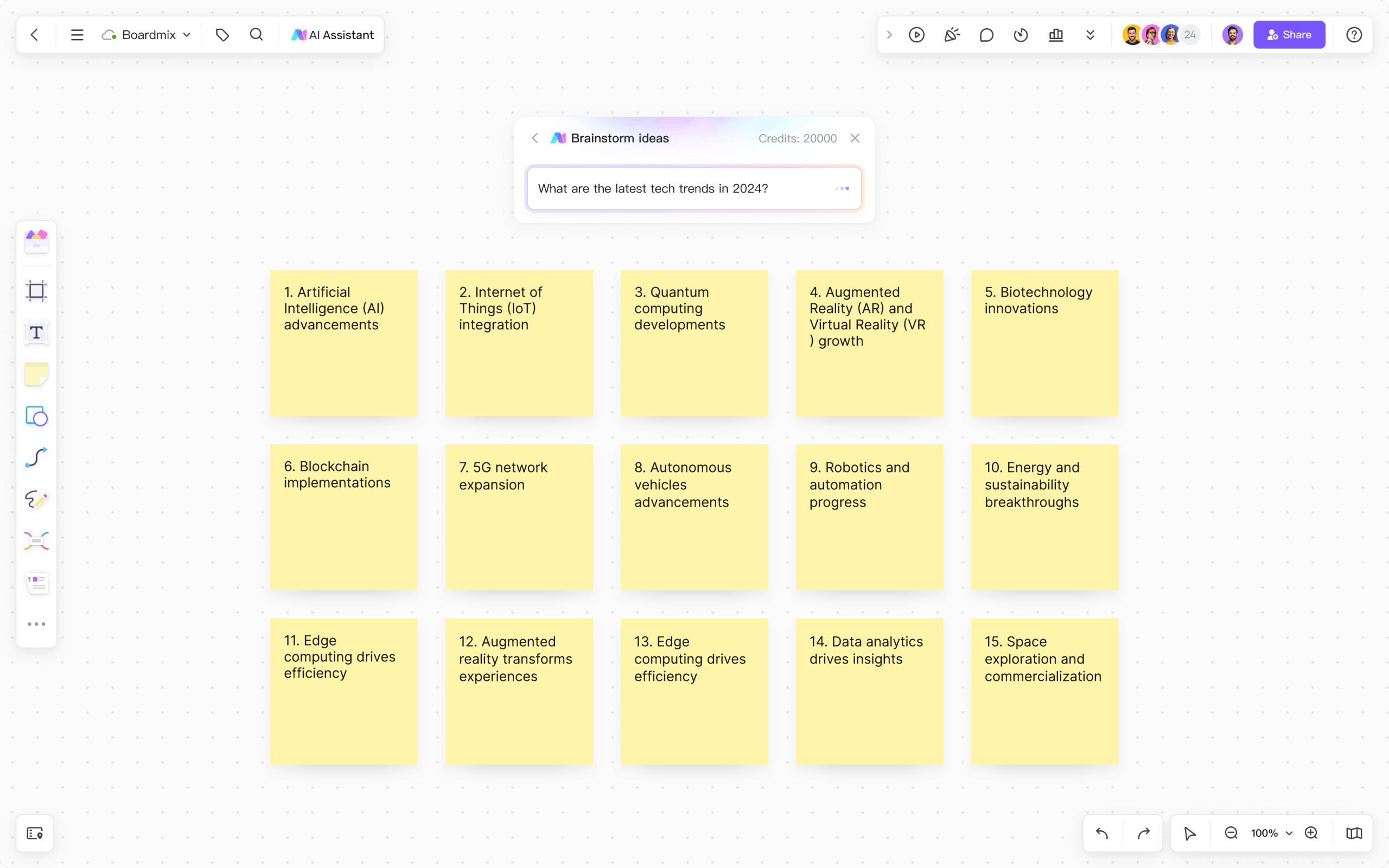
Before you touch any code, you need a crystal-clear vision. ChatGPT is your ultimate brainstorming partner. Don't just ask it to build an app; engage it in a dialogue to refine your concept, identify core features, and understand your target user.
Start broad, then narrow down. Think about the problem your app solves, who it helps, and what its absolute minimum viable product (MVP) features are. This iterative conversation with ChatGPT will save you countless hours later on.
Example Prompt: "I want to build a simple web app. It helps small businesses manage their daily tasks and appointments. What are the core features it absolutely needs to have for an MVP? Who would be the primary user?"
Brainstorming with AI
Step 2: Flesh Out Your Concept (ChatGPT Conversation Template)
Once you have core features, dive deeper. Ask ChatGPT to outline user flows, suggest specific UI elements, and even help you think through potential data structures. This is where you transform a vague idea into a detailed blueprint.
ChatGPT Conversation Template:
1.
User:
"Okay, based on our previous discussion, let's focus on the task management aspect. For a small business owner, what's the simplest way to add, edit, and mark tasks as complete? Describe the UI elements needed for this."
ChatGPT:
(Will suggest input fields, buttons, a list view, perhaps drag-and-drop functionality, and database fields like `task_name`, `due_date`, `status`, `assigned_to`).
User:
"Great. Now, for appointments, how would a user schedule an appointment with a client? Consider a calendar view and client details. What data points are essential for an appointment?"
ChatGPT:
(Will suggest a calendar picker, client name input, time slots, and database fields like `appointment_date`, `start_time`, `end_time`, `client_name`, `service_type`).
Continue this back-and-forth until you have a clear, feature-by-feature breakdown of your MVP. This detailed output will become the foundation for your Lovable prompts.
Step 3: Validate Your Idea (Before You Build)
Building an app, even with AI, takes effort. Don't waste it on an idea nobody wants. Before you commit to Lovable, validate your concept. Talk to potential users, create mockups (even hand-drawn ones), and gather feedback.
Use simple surveys or direct interviews. Ask if your proposed features solve a real problem for them. This crucial step ensures you're building something valuable, not just something technically feasible. A validated idea is a strong foundation.
Step 4: Generate Your Lovable Prompts
Now, translate your detailed ChatGPT blueprint into actionable prompts for Lovable. Lovable thrives on clear, concise instructions. Break your app down into its core components: authentication, main dashboard, specific feature modules (e.g., task management, appointment scheduling).
Think of each prompt as instructing an expert developer on a specific task. Be explicit about the technology stack (Lovable uses React/TypeScript by default, but mentioning it reinforces clarity), desired UI elements, and functionality. The more precise you are, the better the output.
Example Prompt Structure: "Create a [component/feature] that [does X] with [UI elements Y] and [data Z]."
Time & Cost Savings with AI Builders
90%
Reduction in prototyping time
Minutes
Time to generate functional web apps
10x
Faster development speed
Lovable 2.0 Reviews (early 2026)
Step 5: Set Up Lovable and Start Building
Head over to Lovable.dev. They offer a free tier with 5 daily credits, perfect for testing the waters. For serious building, a paid plan starting around $20 – $25 per month for 100 credits is a smart investment. This gives you the capacity to iterate and refine your application without hitting daily limits.
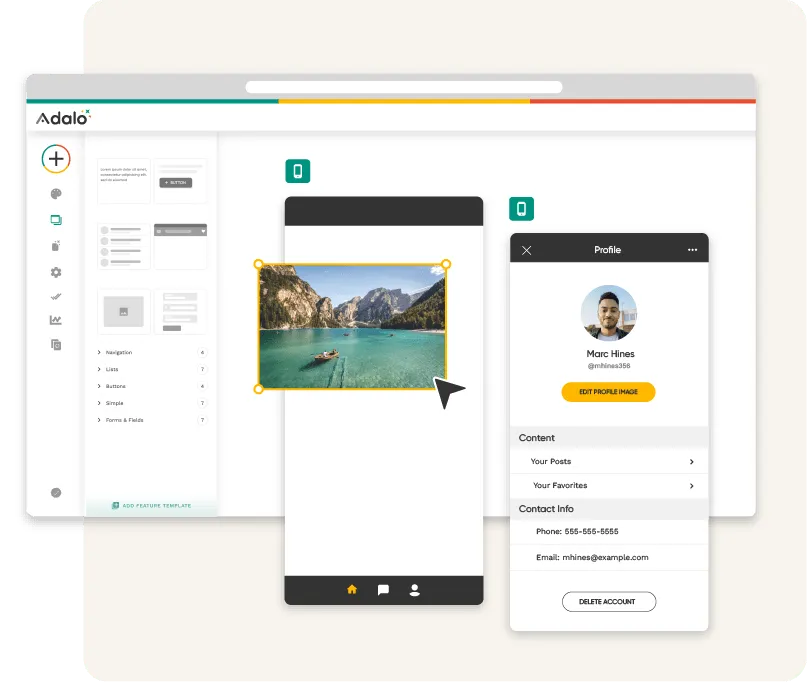
The Lovable interface is intuitive. You'll find a prompt input area, a canvas where your app will visually take shape, and options for exporting your code (e.g., GitHub, React). Familiarize yourself with the basic layout before you start pasting prompts. This initial exploration will make the building process smoother.
Lovable Interface Example
Step 6: Use the Exact Prompts in Lovable (Copy-Paste Ready)
This is where your meticulous planning pays off. Take the detailed prompts you generated in Step 4 and feed them into Lovable one by one. Start with foundational elements like user authentication and the main dashboard structure.
Example Lovable Prompts:
- "Create a React web application with a clean, modern UI. Implement user authentication with email and password, including sign-up, login, and a protected dashboard route."
- "On the dashboard, create a 'Tasks' section. It should display a list of tasks with a checkbox for completion, a task name, and a due date. Add a button to 'Add New Task' and an input field for the task name."
- "Implement the 'Add New Task' functionality. When the button is clicked, a modal should appear with an input for task name, a date picker for the due date, and a 'Save' button. Store tasks in a simple cloud backend."
Observe how Lovable interprets your instructions and generates the code. It will build the UI components and connect them to a cloud backend, often within minutes. Don't be afraid to break down complex features into smaller, manageable prompts.
Step 7: Iterate and Refine with Feedback Loops
The first output from Lovable is rarely perfect. This is where your role as an editor and director comes in. Review the generated app. Does it look right? Does it function as expected? If not, provide specific feedback to Lovable.
For instance, if a button is misplaced, prompt: "Move the 'Add New Task' button to the top right of the task list." If a feature is missing, prompt: "Add an 'Edit Task' button next to each task item that opens the same modal as 'Add New Task' but pre-fills with existing data." This iterative refinement process is critical for achieving a polished, functional application. Test frequently and adjust your prompts.
Lovable vs Competitors: Quick Comparison
While Lovable stands out for its ability to generate production-ready React/TypeScript web apps from natural language, it's not the only player. Understanding the landscape helps you choose the right tool for future projects.
Lovable (Around $20 – $25/month): The clear winner for beginners wanting to build functional web apps with minimal coding knowledge. Its agentic mode and focus on a professional stack make it incredibly powerful for MVPs and rapid prototyping. It's designed to take your English prompts and deliver working code, including a cloud backend.
Cursor AI (Around $10 – $20/month): This is more of an AI-powered code editor, designed for developers. While it uses AI to assist with coding, debugging, and refactoring, it still requires a foundational understanding of programming. It offers deep integration and multi-model flexibility, making it a powerful co-pilot for those who already code, but less suited for pure beginners looking to generate an entire app from scratch.
Bubble (Price varies — check retailer): A veteran in the no-code space, Bubble allows users to build complex web applications visually, without writing any code. It's incredibly powerful for custom workflows and intricate UIs. However, it operates on a visual drag-and-drop paradigm rather than natural language prompting, and its learning curve, while not coding, can still be steep for absolute beginners compared to Lovable's direct prompt-to-app approach.
Lovable (Around $20 – $25/month): The clear winner for beginners wanting to build functional web apps with minimal coding knowledge.
Starting Price Comparison (Early 2026)
Verified Prices (Early 2026)
Common Beginner Mistakes (Avoid These)
Even with powerful AI tools, beginners can stumble. The most common mistake is providing vague or overly complex prompts. Break down your requests into atomic, single-purpose instructions. Don't ask for 'a social media app' in one go; ask for 'user authentication,' then 'a post creation feature,' then 'a feed display.'
Another error is neglecting the backend. While Lovable handles much of it, understanding that data needs to be stored and retrieved is crucial. Don't forget about basic error handling or user feedback (e.g., 'Task saved successfully'). Finally, many beginners fail to test their app thoroughly. Click every button, fill every form, and ensure it works as intended across different scenarios.
When NOT to Use AI Builders
Next Steps After Your First Build
Congratulations, you've built your first app! What now? First, share it with your target audience and gather real-world feedback. This is invaluable for identifying areas for improvement and new features. Lovable's GitHub export feature allows you to hand off your project to a developer if you hit a wall, or continue refining it yourself.
Consider deploying your app. Lovable often provides deployment options, or you can use services like Vercel or Netlify for static site hosting. Learn about basic analytics to understand how users interact with your app. The journey from idea to live product is just beginning, and AI has given you an incredible head start.
Further Reading
Explore how agentic AI models are transforming the software development lifecycle.
A comprehensive guide to writing effective prompts for various AI applications.
Learn how to define and build a Minimum Viable Product that resonates with users.
An analysis of the strengths and weaknesses of no-code platforms versus AI-driven code generation.
Sources
- 1.Lovable 2.0 Review: Pricing, Credits, and Real Limits (2026)
- 2.Lovable Review 2026: $6.6B AI App Builder Just Launched 2.0 (I Built 3 Apps To Test It) - AI Tool Analysis
- 3.Lovable Reviews 2026: Details, Pricing, & Features | G2
- 4.Lovable Review 2026: We Tested Everything (No-Code, GitHub Export, AI & Real Startup ROI)
- 5.ChatGPT API Pricing 2026: Token Costs & Rate Limits | IntuitionLabs
- 6.ChatGPT Pricing 2026: How Much Does ChatGPT Cost?
- 7.Cursor AI Pricing 2026: Free vs Pro vs Business — Complete Guide | NxCode
Rate this article
Your feedback helps surface the best content
Related articles
Have a question? Get your own article.
Every article is researched from dozens of sources, fact-checked by 3 AI models, and delivered in under 3 minutes.
Triple-Verified — checked across 1 verification stages — all claims verified