Vibe Coding Explained: The Future of Programming Without Code

March 20, 2026 · 18 min read
··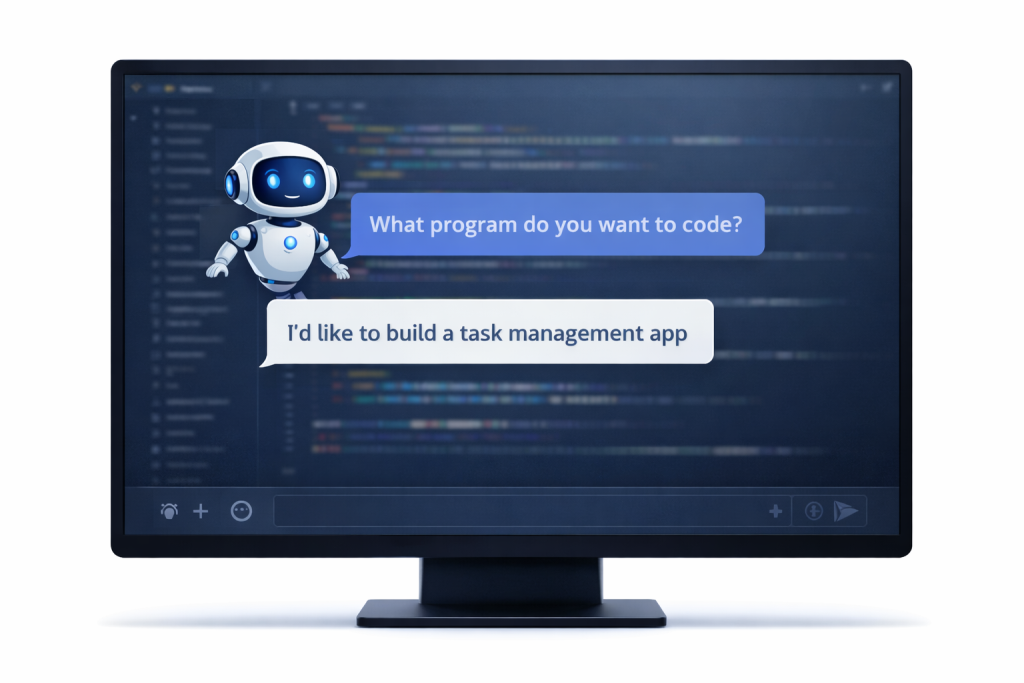
- Vibe coding lets you build software by describing what you want in plain English instead of writing traditional code. AI models translate your intentions into working applications—no syntax memorization required. It's democratizing software creation
- but it's not magic: you still need to think clearly, test thoroughly, and understand what you're building.
Vibe coding is a software development approach where you describe what you want in natural language, and AI assistants like Claude, ChatGPT, Cursor, or Replit generate the actual code. Coined by AI researcher Andrej Karpathy in early 2025, it represents a shift from manually writing code line-by-line to guiding AI through conversational prompts. While it dramatically lowers the barrier to building software—allowing non-programmers to create functional apps in hours—it works best for prototypes, learning projects, and rapid experimentation. Production software still requires human oversight, testing, and code review.
Key Takeaways
- 84% of developers already use or plan to use AI coding tools, with 51% using them daily
- You can build working apps without writing code—tools like Claude, ChatGPT, Cursor, and v0 handle the implementation
- Best for: prototypes, MVPs, learning to code, automating boring tasks, and weekend projects
- ChatGPT and GitHub Copilot lead in adoption (82% and 68% respectively among AI agent developers)
- Vibe coding can be 30-50% faster for certain tasks, but code quality requires careful review
Watch Out For
- ⚠AI-generated code contains security vulnerabilities 48% of the time—always review before deploying
- ⚠The METR study found experienced developers were actually 19% slower using AI tools, despite feeling 20% faster
- ⚠Code duplication increases 4x with AI assistance, creating long-term maintenance debt
- ⚠'Pure' vibe coding (accepting AI output without review) is only suitable for throwaway projects
- ⚠You'll still hit complexity ceilings—large-scale architecture and nuanced business logic remain challenging
Vibe Coding by the Numbers
84%▲
of developers use or plan to use AI coding tools
51%▲
of professional developers use AI daily
3.6 hrs/week
average time saved per developer
Stack Overflow 2025 Developer Survey, DX Q4 2025 Impact Report, Second Talent AI Coding Statistics

What Is Vibe Coding? (And Why Everyone's Talking About It)
Vibe coding is software development where you describe what you want in plain English, and AI generates the code for you. The term was coined by Andrej Karpathy (OpenAI co-founder, former Tesla AI director) in February 2025. He described it as a form of coding where you "fully give in to the vibes, embrace exponentials, and forget that the code even exists."
Here's what makes it different from traditional programming:
Traditional coding: You write every line. You memorize syntax. You debug typos. You Google Stack Overflow for hours trying to understand why your React component won't render.
Vibe coding: You tell the AI "build me a to-do app with user authentication and dark mode." The AI writes the code. You test it. If something's wrong, you tell the AI to fix it. Repeat until it works.
The core insight: AI models like GPT-4, Claude, and others have been trained on billions of lines of code. They know every programming language, framework, and design pattern. Instead of you learning all that, you just talk to the AI in English (or Spanish, or Mandarin—the models speak dozens of languages).
Karpathy's original tweet emphasized that this works because "the hottest new programming language is English." The quality of your prompts—how clearly you describe what you want—matters more than knowing JavaScript or Python syntax.
But here's the nuance: vibe coding exists on a spectrum. At one extreme, you accept AI output without reviewing it (pure vibe coding, best for throwaway projects). At the other extreme, you use AI as a smart autocomplete while still reviewing and understanding every line (AI-assisted engineering). Most people land somewhere in the middle.
Key Definition: Vibe Coding vs. Traditional Programming
Why Vibe Coding Is Revolutionary (Spoiler: It's Not About Being Lazy)
The revolution isn't that AI can write code. It's that coding is no longer a gatekeeper profession.
In Anthropic's recent Claude Code hackathon, three of the five winners weren't professional developers. A cardiologist, an attorney, and a road systems worker beat hundreds of software engineers. Mike Brown, the personal injury attorney who won first place, built a tool that speeds up California's building permit process for code compliance—a problem he understood intimately from his legal practice.
This is the pattern emerging: the best vibe coding projects come from people solving problems they actually have. You don't need a computer science degree. You need a clear problem and the ability to describe solutions.
The barriers that vibe coding removes:
1. Syntax memorization. No more "was it .map() or .forEach()? And where do the parentheses go?" Just tell the AI what transformation you want.
2. Environment setup. Platforms like Replit and v0 handle all the configuration. No more spending three hours installing dependencies before writing a single line.
3. Framework knowledge. You don't need to master React, Vue, Angular, or the framework-of-the-week. The AI knows them all.
4. The blank page problem. Starting is the hardest part. AI gives you something to react to, iterate on, and improve—immediately.
5. Stack Overflow searches. Instead of hunting for solutions and adapting them to your context, you just describe your context and the AI generates the solution.
But it's not magic—it's a different skill set. Successful vibe coders are good at: - Breaking problems into small, clear requests - Testing methodically and describing what's wrong - Recognizing when AI output is nonsense (yes, it happens) - Iterating through multiple versions without getting frustrated
You're trading syntax knowledge for product thinking. That's a better trade for most people who want to build things.
Time to Build a Simple App: Traditional vs. Vibe Coding
Estimated hours required for a beginner, intermediate, and expert to build a basic to-do app with authentication
Estimates based on developer surveys and platform case studies (Replit, v0, Cursor)
How Vibe Coding Actually Works (The Mechanics Behind the Magic)
Vibe coding operates on two levels: the micro loop (refining individual features) and the macro loop (building complete applications).
The Micro Loop: Iterative Code Generation
This is the tight feedback cycle you use to create a specific feature:
1.
Describe the goal:
"Create a function that takes a CSV file and returns the top 10 rows sorted by revenue."
AI generates code:
The assistant produces an initial implementation.
Execute and observe:
Run the code. Does it work? Does it match your expectations?
Provide feedback:
"That works, but handle cases where the revenue column has missing values."
Repeat:
The AI refines the code. You test again. Continue until complete.
This loop can happen dozens of times for a single feature. The speed comes from never leaving your workflow—no context switching to documentation or tutorials.
The Macro Loop: Full Application Development
For complete applications, the process expands:
1.
Ideation:
Describe the entire app in a high-level prompt. Example: "Build a personal budget tracker with income/expense categories, monthly summaries, and charts."
Generation:
The AI creates the initial version—UI, backend logic, file structure.
Iterative refinement:
Test the app. Use follow-up prompts to add features, fix bugs, or change design.
Testing and validation:
A human (you) reviews for security, quality, and correctness.
Deployment:
Deploy with a final prompt or one-click deployment (platforms like Replit, v0, and Google Firebase Studio support this).
What's happening under the hood?
AI coding assistants use Large Language Models (LLMs) trained on massive code repositories (like GitHub's public code). When you describe what you want:
- The model identifies patterns it's seen before
- It generates code that statistically matches those patterns
- It considers the context of your conversation, your project structure, and the frameworks you're using
- It predicts the most likely correct implementation
Modern models like GPT-4, Claude 3.7 Sonnet, and Google Gemini have context windows of 128,000 to 200,000 tokens—meaning they can "see" your entire codebase at once. This is why they can make changes across multiple files coherently.
The key difference from traditional coding:
Traditional: You focus on how to implement (the syntax, the logic flow, the edge cases).
Vibe coding: You focus on what you want (the outcome, the behavior, the user experience).
One Microsoft developer described it as "outcome-driven development." The AI worries about the 'how.' You own the 'what.'
The key difference from traditional coding: Traditional: You focus on how to implement (the syntax, the logic flow, the edge cases).
Worked Example: From Idea to Code in 5 Prompts
Let's walk through a real vibe coding session. We'll build a tip calculator web app using ChatGPT. No coding knowledge required.
Prompt 1: The Initial Request
*You:* "Build me a tip calculator in HTML, CSS, and JavaScript. It should have inputs for the bill amount and tip percentage, and show the tip amount and total."
*AI:* Generates a complete HTML file with embedded CSS and JavaScript. The code includes a form with two input fields, calculation logic, and result display.
Prompt 2: Add Functionality
*You:* "Add a button to split the bill between multiple people. Show the amount each person pays."
*AI:* Updates the code to include a "number of people" input field and displays the per-person cost.
Prompt 3: Improve Design
*You:* "Make it look modern. Use a gradient background, rounded corners on the inputs, and a nice color scheme."
*AI:* Rewrites the CSS with a purple-to-blue gradient, border-radius on all inputs, a card-style layout with shadow, and improved typography.
Prompt 4: Add Validation
*You:* "Don't let people enter negative numbers or leave fields empty. Show an error message if they try."
*AI:* Adds input validation in JavaScript. Red error messages appear below invalid fields.
Prompt 5: Add Feature
*You:* "Add preset buttons for 15%, 18%, and 20% tips so people don't have to type."
*AI:* Inserts three buttons that auto-fill the tip percentage when clicked.
Total time:
10 minutes.
Lines of code you wrote:
0.
Working app:
Complete.
You can copy the final code into a .html file, open it in your browser, and use it immediately. Or deploy it to Netlify, Vercel, or GitHub Pages with one command.
The pattern that works:
- Start with a complete, simple version
- Add one feature or improvement at a time
- Be specific about what's wrong or what you want changed
- Test after each change
- Build complexity gradually
This is vibe coding. You're not writing code—you're directing the creation of software through conversation.
Major Vibe Coding Platforms at a Glance
| Platform | Best For | Free Tier | Standout Feature |
|---|---|---|---|
| ChatGPT | Beginners, general purpose | Limited (20 msgs/3hrs) | Easiest to start, 82% adoption |
| Claude | Code explanations, learning | Limited daily messages | Best at explaining logic step-by-step |
| Cursor | Professional developers | Free 2-week trial | Full IDE with codebase awareness |
| GitHub Copilot | Existing VS Code users | Free for students/educators | Tight GitHub integration, 68% adoption |
| Replit | Complete beginners | Free with limits | Built-in hosting, zero setup |
| v0 (Vercel) | UI/frontend projects | $5 free credits | Beautiful UI generation, instant deploy |
| Claude Code | Terminal-based workflows | Requires Pro ($18/mo) | File system access, agent skills |
| Bolt.new | Full-stack prototypes | Free tier available | Complete app scaffolds fast |
Platform Capabilities: What Each Tool Does Best
Scored out of 10 based on user reviews, feature sets, and real-world testing
| Metric | ChatGPT | Claude | Cursor | GitHub Copilot | Replit | v0 |
|---|---|---|---|---|---|---|
| Ease of Learning | 10/10 | 9/10 | 6/10 | 7/10 | 9/10 | 8/10 |
| Code Generation Quality | 8/10 | 9/10 | 9/10 | 8/10 | 7/10 | 9/10 |
| Full-Stack Capability | 6/10 | 7/10 | 10/10 | 7/10 | 9/10 | 7/10 |
| Deployment Built-In | 0/10 | 0/10 | 3/10 | 2/10 | 10/10 | 10/10 |
| Codebase Context Awareness | 5/10 | 8/10 | 10/10 | 7/10 | 6/10 | 6/10 |
| Price Value | 8/10 | 8/10 | 7/10 | 9/10 | 8/10 | 7/10 |
Platform Deep-Dive: When to Use What
Not all vibe coding platforms are created equal. Here's how to choose:
ChatGPT: The Gateway Drug
Use it if: You're brand new to coding and want to experiment with zero commitment.
- 82% adoption rate among developers using AI agents
- Works entirely in your browser, no installation
- Generates code for any language/framework
- Strong at explaining concepts in plain English
Limitations: No built-in code execution or deployment. You'll copy-paste code into other tools to actually run it.
Best first project: Build a simple HTML/CSS/JavaScript page (calculator, portfolio site, quiz app) and open the .html file in your browser.
Claude (and Claude Code): The Teacher
Use it if: You want to learn while you build. Claude excels at explaining *why* code works the way it does.
- Supports 200,000 token context (can read entire large codebases)
- Provides step-by-step reasoning and inline comments
- Claude Code (terminal version) can directly edit files on your computer
- Better at debugging and explaining errors than other models
Limitations: No built-in hosting. Claude Code requires terminal comfort.
Best first project: Ask Claude to build something, then ask it to explain every function. You'll learn the fundamentals while building something real.
Cursor: The Professional's Choice
Use it if: You're building something serious and want an AI-first IDE.
- Full VS Code fork with deep AI integration
- Understands your entire project across multiple files
- "Composer" mode makes multi-file changes coherently
- Access to multiple AI models (GPT-4, Claude, custom models)
Limitations: $20/month after trial. Steeper learning curve. Requires downloading an app.
Best first project: Refactor an existing project or build a multi-page web app with proper file structure.
GitHub Copilot: The Productivity Booster
Use it if: You already code in VS Code and want AI autocomplete on steroids.
- 68% adoption among AI agent developers
- Works inside your existing VS Code setup
- Inline suggestions as you type
- Cheapest paid option at $10/month
Limitations: Less autonomous than Cursor. Better as autocomplete than full code generation.
Best first project: Speed up your existing coding workflow with smart suggestions.
Replit: The All-in-One Beginner Platform
Use it if: You want to go from idea to deployed app in one browser tab.
- Zero installation required
- Built-in hosting (your app gets a live URL instantly)
- Collaborative (multiple people can code together)
- "Ghostwriter" AI assistant helps as you code
- Supports 50+ programming languages
Limitations: Can get expensive for heavy use (credit-based pricing). Less control than local development.
Best first project: Build and deploy a complete web app (to-do list, blog, API) in one session.
v0 (Vercel): The UI Specialist
Use it if: You want gorgeous, production-ready user interfaces fast.
- Generates React components with Tailwind CSS
- One-click deployment to Vercel hosting
- Beautiful, modern design by default
- Can import from Figma or screenshots
Limitations: Focused on frontend/UI. Backend logic requires separate setup.
Best first project: Build a landing page, dashboard UI, or interactive component library.
The verdict: Start with ChatGPT or Replit. Level up to Claude for learning or Cursor for serious projects. Use v0 if design matters most.
What People Actually Build with Vibe Coding
Distribution of use cases from platform surveys and user reports
Stack Overflow 2025 Survey, JetBrains Developer Ecosystem Report
Your First Vibe Coding Session: A Complete Walkthrough
Let's build your first app. We'll create a personal mood tracker in 30 minutes using ChatGPT (free tier). No coding experience required.
What we're building: A simple web page where you can log your daily mood, see a history of past entries, and export your data.
Step 1: Open ChatGPT
Go to chat.openai.com and create a free account if you don't have one.
Step 2: The First Prompt
Copy this exactly:
*"Build me a mood tracker web app in HTML, CSS, and JavaScript. I want to select my mood from options (Happy, Neutral, Sad, Anxious, Excited), add an optional note, and save entries with timestamps. Show a list of all previous entries below the form. Store everything in the browser's local storage so data persists between sessions. Make it look clean and modern."*
Press Enter. ChatGPT will generate a complete HTML file with embedded CSS and JavaScript.
Step 3: Test It
- Copy the entire code block
- Open a text editor (Notepad on Windows, TextEdit on Mac)
- Paste the code
- Save as `mood-tracker.html`
- Double-click the file to open it in your browser
You now have a working app. Try adding a mood entry. It works!
Step 4: Iterate
Go back to ChatGPT and improve it:
*"Add a color code for each mood option—Happy should be green, Sad should be blue, etc. Show the color next to each entry in the history."*
Copy the updated code, save over your file, and refresh your browser. The colors appear.
Step 5: Add a Feature
*"Add a button to export all my mood data as a CSV file I can download."*
Boom. Export functionality added.
Step 6: Polish
*"Make the form centered on the page with a card-style design, drop shadow, and a gradient background."*
Now it looks professional.
What just happened?
- You built a functional web application
- You added features through conversation
- You never wrote a single line of code
- Total time: 20-30 minutes
- Cost: $0
Next steps:
1. Deploy it: Upload your HTML file to Netlify Drop or GitHub Pages (both free, both take 2 minutes) 2. Share the link with friends 3. Pat yourself on the back—you're a builder now
The lesson: Vibe coding isn't theoretical. It's practical. You can build real things today, not months from now after completing tutorials.
Common Patterns That Work Best
After analyzing thousands of successful vibe coding sessions, clear patterns emerge. Here's what works:
1. Start Simple, Then Iterate
Don't try to describe your entire vision in one mega-prompt. Start with a basic version that works, then add features one at a time.
❌ Bad: "Build me a social network with user profiles, friend requests, messaging, photo uploads, stories, notifications, and privacy settings."
✅ Good: "Build a simple user profile page with a photo, bio, and list of posts." *[Test it]* "Now add the ability for users to follow each other." *[Test]* "Add a messaging feature."
2. Be Specific About Edge Cases
The AI won't anticipate every scenario unless you tell it.
❌ Bad: "Add input validation."
✅ Good: "Don't allow negative numbers in the price field. Don't allow emails without an @ symbol. Show red error text below invalid fields."
3. Use Examples
Show the AI what you want with concrete examples.
❌ Bad: "Format the dates nicely."
✅ Good: "Display dates in this format: 'March 15, 2026 at 3:30 PM' instead of timestamps."
4. Separate Concerns
Work on functionality first, design later.
- Get the feature working with ugly UI
- Then: "Now make it beautiful with a modern design"
5. Test Incrementally
Run the code after every change. Don't stack multiple requests before testing.
If something breaks, you'll know exactly which change caused it.
6. Describe the 'Why' Not Just the 'What'
Give context about your goals.
❌ Bad: "Add a loading spinner."
✅ Good: "Add a loading spinner when the form submits because the API call takes 2-3 seconds and users think it's broken."
7. Use AI to Explain AI-Generated Code
If you don't understand what the AI generated:
*"Explain what this function does line by line in simple terms."*
The AI will break it down. This is how you learn while building.
8. Chain Small Prompts for Complex Features
Break complex features into steps:
1. "Create a user authentication form" 2. "Add password strength validation" 3. "Add password visibility toggle" 4. "Add 'forgot password' flow" 5. "Add email verification"
Each step builds on the last. The AI maintains context.
9. Use the Right Platform for the Job
- Quick experiments: ChatGPT or Claude
- Learning: Claude (best explanations)
- Deployment: Replit or v0 (built-in hosting)
- Professional projects: Cursor or GitHub Copilot
10. Keep a Changelog in Your Prompts
If you're building something over multiple sessions:
*"Here's what we've built so far: [summary]. Now add [next feature]."*
This gives the AI context and prevents it from rewriting things that already work.
Pro Tips: How to 'Vibe' Effectively with AI Coding Assistants
What Vibe Coding Can't Do (Yet) and When You Still Need Traditional Skills
Vibe coding is powerful, but it's not magic. Here's where it struggles:
1. Complex Architecture Decisions
AI can build features, but it won't design your overall system architecture. Questions like "should I use microservices or a monolith?" or "how do I structure a 50-table database?" require human judgment based on your specific business context.
2. Nuanced Business Logic
If your rules are complex ("apply discount A unless it's Tuesday and the user is in region X but not if they've used coupon B in the last 30 days"), AI will struggle to get it right on the first try. You'll spend more time fixing it than writing it yourself.
3. Performance Optimization
AI generates code that works, not code that's optimized. If you need sub-millisecond latency or need to process millions of records efficiently, you'll need traditional optimization skills.
4. Security-Critical Features
AI-generated code contains security vulnerabilities 48% of the time according to recent studies. Never vibe-code authentication, payment processing, or data encryption without expert review. The stakes are too high.
5. Debugging Obscure Issues
When AI-generated code fails in strange ways (race conditions, memory leaks, edge case bugs), debugging requires understanding the code deeply—which defeats the purpose of vibe coding.
6. Legacy System Integration
AI models are trained on open-source code. Your company's proprietary 15-year-old Java backend? The AI has never seen anything like it. Integration work requires human expertise.
7. Large-Scale Refactoring
Changing the fundamental structure of an existing large codebase while preserving all functionality is beyond current AI capabilities. Small refactors work; big ones don't.
8. Regulatory Compliance
AI doesn't understand HIPAA, GDPR, SOC2, or industry-specific regulations. Compliance-critical features need human oversight from people who understand the legal requirements.
When you still need to learn traditional coding:
- You're building production software for paying customers
- You're working in a regulated industry (healthcare, finance, government)
- You need to debug and maintain code long-term
- You're building something novel that AI models haven't seen before
- You want to be employable as a professional developer (yes, companies still hire humans)
The skill progression:
Month 1-2: Vibe code everything. Build 5-10 small projects. Get comfortable with the workflow.
Month 3-6: Start reading the AI-generated code. Ask the AI to explain it. Learn the basics of your chosen language.
Month 6-12: Take an online course (FreeCodeCamp, The Odin Project). Understand fundamentals. Write code manually sometimes.
Year 2+: Use vibe coding for speed, traditional coding for complexity. You now have both skills.
Vibe coding is a superpower, but it's most powerful when combined with understanding. The goal isn't to avoid learning—it's to learn faster by building real things immediately.
The Complexity Ceiling: Where Vibe Coding Excels vs. Struggles
How well vibe coding handles projects of increasing complexity
Estimated from developer surveys and platform success rates

Common Mistakes Beginners Make
Getting Started Today: Your Action Plan
Stop reading. Start building. Here's your 7-day vibe coding bootcamp:
Day 1: Hello World (30 minutes)
- Create a ChatGPT account
- Prompt: "Build me a simple HTML page that displays 'Hello, [my name]!' and changes to a random color when I click a button."
- Copy the code into a .html file and open it in your browser
- Success metric: You see your name and the color changes
Day 2: Form Input (1 hour)
- Prompt: "Build a BMI calculator. User enters height and weight, clicks calculate, and sees their BMI with a message (underweight, normal, overweight, obese)."
- Add: "Style it with a modern card design and gradient background."
- Success metric: The calculator works and looks good
Day 3: Data Storage (1 hour)
- Prompt: "Build a note-taking app. Users can add notes, see a list of all notes, and delete notes. Store notes in local storage so they persist between sessions."
- Success metric: Close and reopen the page—your notes are still there
Day 4: API Integration (1.5 hours)
- Prompt: "Build a weather app. User enters a city name and sees current weather. Use the OpenWeatherMap API." (Sign up for a free API key first)
- Add: "Show temperature, description, and a weather icon."
- Success metric: Real weather data appears for any city
Day 5: Deploy Something (1 hour)
- Create a Netlify account (free)
- Drag and drop any of your HTML files onto Netlify Drop
- Get a live URL
- Share it with a friend
- Success metric: Someone else can use your app from their phone
Day 6: Learn By Asking (1 hour)
- Pick your Day 4 weather app
- Prompt: "Explain every function in this code in simple terms a beginner can understand."
- Read the explanation
- Ask follow-up questions about anything confusing
- Success metric: You understand what most of the code does
Day 7: Build Something You Want (2-3 hours)
- Think of a problem you actually have
- Build a tool to solve it using vibe coding
- Deploy it
- Use it in your daily life
- Success metric: You built something useful to *you*
After Week 1:
You're not an expert. But you're a builder. You've created and deployed 5+ applications. That's more than most people who "want to learn to code" achieve in a year.
Week 2 and Beyond:
- Join communities: r/learnprogramming, Replit Discord, Indie Hackers
- Build 1 project per week
- Each project should be slightly more complex than the last
- Start reading the generated code and asking questions
- After 10-15 projects, consider taking a formal course to understand fundamentals
The key: Build things immediately. Theory comes later. Vibe coding lets you skip the 6-month tutorial phase and start creating on day 1.
Three Starter Projects Ranked by Difficulty (With Exact Prompts)
Here are three projects with copy-paste prompts. Start with Project 1, then level up.
Project 1: Password Generator (Beginner - 30 minutes)
*Copy this into ChatGPT:*
"Build me a password generator in HTML, CSS, and JavaScript. Features: slider to choose password length (8-32 characters), checkboxes to include uppercase, lowercase, numbers, and symbols, a 'Generate' button, and display the generated password in a large text box with a 'Copy' button.
Style it with a modern, dark theme with blue accents. Make sure the password updates immediately when I change options."
What you'll learn: Basic UI inputs, string manipulation, random generation, clipboard API.
Iteration ideas after it works: - "Add a password strength indicator (Weak/Medium/Strong)" - "Add a 'Generate 5 passwords' option and show a list" - "Save the last 10 generated passwords in local storage"
Project 2: Expense Tracker (Intermediate - 2 hours)
*Copy this into ChatGPT:*
"Build an expense tracking web app. Users can add expenses with: amount, category (dropdown with Food, Transport, Entertainment, Bills, Other), date, and optional description. Display all expenses in a table with total at the bottom. Add category filter dropdown to show expenses by category.
Store data in local storage. Style with a clean, minimal design using a white background and green accents for income, red for expenses. Add a chart showing expenses by category using Chart.js."
What you'll learn: Form handling, data filtering, date manipulation, charting libraries, more complex state management.
Iteration ideas: - "Add income tracking and show net balance" - "Add export to CSV functionality" - "Add monthly/weekly view toggle" - "Add budget limits per category with warnings"
Project 3: Multi-User Task Manager (Advanced - 4 hours)
*Copy this into Replit or Claude Code (requires backend):*
"Build a task management app with user authentication. Tech stack: Node.js backend with Express, SQLite database, vanilla JavaScript frontend. Features:
- User registration and login (email + password)
- Each user sees only their tasks
- Add/edit/delete tasks with title, description, due date, priority (High/Medium/Low)
- Mark tasks complete
- Filter by status (All/Active/Completed) and priority
- Sort by due date or priority
- Modern UI with sidebar for filters and main area for task list
- Use JWT for authentication
Provide separate files for: - server.js (backend) - database.js (SQLite setup) - index.html (frontend structure) - styles.css (styling) - app.js (frontend logic)
Include API documentation in comments."
What you'll learn: Full-stack development, authentication, databases, API design, security basics.
Iteration ideas: - "Add ability to share tasks with other users" - "Add task comments and attachments" - "Add email reminders for due dates" - "Add team workspaces"
The pattern: Each project introduces new concepts while building on previous knowledge. By the time you finish Project 3, you understand:
- Frontend: HTML, CSS, JavaScript
- Backend: Node.js, Express, databases
- APIs: Creating and consuming endpoints
- Auth: User authentication and authorization
- Deployment: Hosting and production concerns
All learned by building, not reading tutorials.
What real people think
Mixed opinionsSourced from Reddit, Twitter/X, and community forums
The developer community is split on vibe coding. Enthusiasts celebrate the democratization of software creation and the speed boost for prototyping. Skeptics worry about code quality, technical debt, and developers who don't understand what they're deploying. The consensus: vibe coding is a powerful tool for certain use cases (prototypes, learning, automation), but production software still requires human expertise and rigorous review. Most professional developers use AI-assisted development (reviewing every line) rather than pure vibe coding (accepting output blindly).
Distinguishes vibe coding from AI-assisted programming: "If an LLM wrote every line of your code, but you've reviewed, tested, and understood it all, that's not vibe coding—that's using an LLM as a typing assistant." His golden rule: never commit code you couldn't explain to someone else.
72% of respondents say vibe coding is NOT part of their professional work. Only 16% reported AI made them significantly more productive. The biggest frustration: "AI solutions that are almost right, but not quite" (66% of developers).
25% of YC startups had codebases that were 95% AI-generated, showing rapid adoption among early-stage companies willing to move fast and iterate.
Developers using GitHub Copilot complete 126% more projects per week. Python creator Guido van Rossum uses Copilot daily: "I feel more productive, but it's more like having an electric saw instead of a hand saw than like having a robot that can build me a cabinet."
Experienced developers were 19% slower using AI tools, despite believing they were 20% faster. Only 39% of AI suggestions were accepted. The perception gap reveals a critical issue: individual output metrics increase while actual task completion slows due to review overhead.
Three of five winners weren't developers—a cardiologist, attorney, and road systems worker. Mike Brown (attorney) built permit-processing software based on first-hand legal practice problems. Proves vibe coding empowers domain experts to build solutions.
Common sentiment: "Replit and v0 are great for getting started, but you hit a wall fast if you don't learn fundamentals." Users recommend: vibe code to build, then ask AI to explain the code to learn.
The Bottom Line: Should You Start Vibe Coding?
Yes. Start today.
Vibe coding isn't replacing traditional programming—it's expanding who gets to participate in software creation. The cardiologist building healthcare tools, the attorney streamlining legal processes, the teacher creating custom classroom apps—these people aren't becoming professional developers. They're solving problems they understand deeply using new tools.
The question isn't "will vibe coding replace developers?" It's "what will you build now that the barriers are gone?"
If you're a complete beginner:
Vibe coding is your fastest path to building real things. Start with ChatGPT, build 5-10 small projects, then decide if you want to learn traditional programming to level up.
If you're a professional developer:
Vibe coding won't eliminate your job—it will change what you spend time on. Less boilerplate, more architecture. Less syntax, more problem-solving. Embrace AI as a productivity multiplier, not a threat.
If you're a founder or entrepreneur:
You can now build MVPs without hiring developers. Validate ideas in days, not months. Use vibe coding to prove concepts, then hire professionals to build production systems.
If you're a student:
You have a superpower most of history's programmers never had. Use it to learn faster by building immediately, then understanding how things work. The combination of vibe coding for speed + traditional learning for depth is unstoppable.
The skill you actually need:
Not memorizing syntax. Not knowing every framework.
The skill is clear thinking. If you can describe what you want clearly, break problems into steps, and test systematically, you can vibe code.
AI has lowered the floor for who can build software. It hasn't lowered the ceiling for what's possible—if anything, it's raised it. People who combine domain expertise with AI-assisted development will create things that weren't possible before.
So stop reading. Open ChatGPT. Type: "Build me a simple web app that does [thing you want]." And start building.
The future of programming isn't about knowing the most syntax. It's about having the clearest ideas and the tenacity to iterate until they work.
Welcome to the era of vibe coding. Now go build something.
Sources
- 1.Vibe Coding - Wikipedia
- 2.Vibe Coding Explained - Google Cloud
- 3.What is Vibe Coding? - IBM
- 4.Stack Overflow 2025 Developer Survey - AI Section
- 5.AI Coding Assistant Statistics 2025 - Second Talent
- 6.Cursor vs GitHub Copilot Comparison - Builder.io
- 7.Claude vs ChatGPT for Coding - Second Talent
- 8.Replit vs v0 Comparison - Softr Blog
- 9.'Vibe Coding' and AI Changing App Development - Microsoft News
- 10.Claude Code: What It Is and How It's Different - Product Talk
- 11.Not All AI-Assisted Programming Is Vibe Coding - Simon Willison
- 12.What Research Shows About AI Coding Assistant Productivity - Software Seni
Rate this article
Your feedback helps surface the best content
Related articles
Have a question? Get your own article.
Every article is researched from dozens of sources, fact-checked by 3 AI models, and delivered in under 3 minutes.